Need Help? Chat with us on WhatsApp - We're here to assist you!
FAST DELIVERY FROM GERMANY TO WORLDWIDE
fife-dp-20-web-guide-controller_570487.jpg

Quantity :

Request an Offer

97% customer satisfaction based on last 45 days of sales

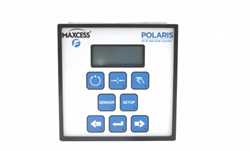
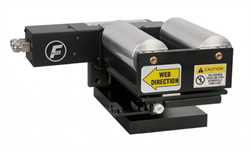
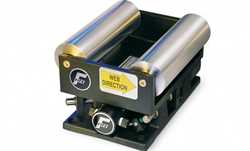
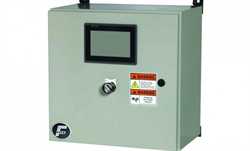
Fife DP-20 Web Guide Controller

Ask for Stock

Brand:
Product Code:
DP-20

Order Processing & Delivery Information:
As we supply industrial equipment, product availability and delivery timelines may vary. Once your order is placed, our sales team will contact you within 24 business hours (excluding weekends and holidays) to confirm stock status and estimated delivery time.


🎯 Need a Quote for Fife DP-20 Web Guide Controller?

Get the best price and fastest delivery for Fife DP-20 Web Guide Controller from Fife. Imtek Engineering offers worldwide industrial equipment supply with expert support.
Details:

User-friendly keypad — eliminates confusion for end users or internal operatorsLCD readout — ease of use for the operator, less potential downtimeIntuitive menu layout — less confusion for operators / less potential downtimeAuto setup — no guessing on optimal performance settings, quick setupsParallel input — easy discrete (hard-wired) connectivity to PLCHigh dynamic responseEasily replaces most models of the CDP-01, with no cabling to changeSmall form factor 144 mm x 144 mm x 103 mm (5.67 inches x 5.67 inches x 4.06 inches) Easily integrated into a machine panel (bezel mount) Fife Polaris DP-20 Web Guide Controller SpecificationsIP ProtectionIP54Weight1.6 kgOperating Ambient Temperature0 to 50? CPower Consumption130 VAInput Line Frequency47 to 63 HzMaximum Actuator Output 39 W at 30 VParallel Port6 digital inputs, 2 open collector outputsUniversal Input Line Voltage Range 100 VAC -10% to 240 VAC +10%Sensor Inputs2 independent edge sensors or 1 line guide sensor (SE-26A or SE-46B)
Maximum input ±20 mA, 0 to 10 mA (preferred)Supply to Accessories+12 V ±5%, 400 mA, -12 V ±5%, 150 mAInternal Fuse3.15 AServo CenterAnalog Inductive

Keypad Layout
Membrane Keys8Basic FunctionsAuto, manual, servor-centerSensor key SelectionsLeft edge, right edge, center line, line guide, auto setup,
transparence setup (opacity), guide point adjustment,
system and servo-center gain adjustmentSetup KeysJog left (- key), jog right (+ key)
Enter key to complete function / setup or manual key to cancel

Web Guide Controller